Create a Variable Field with Variable Values
Create a variable field with variable values.
After you have created the variable field with variable values, you can define the metric.
Example
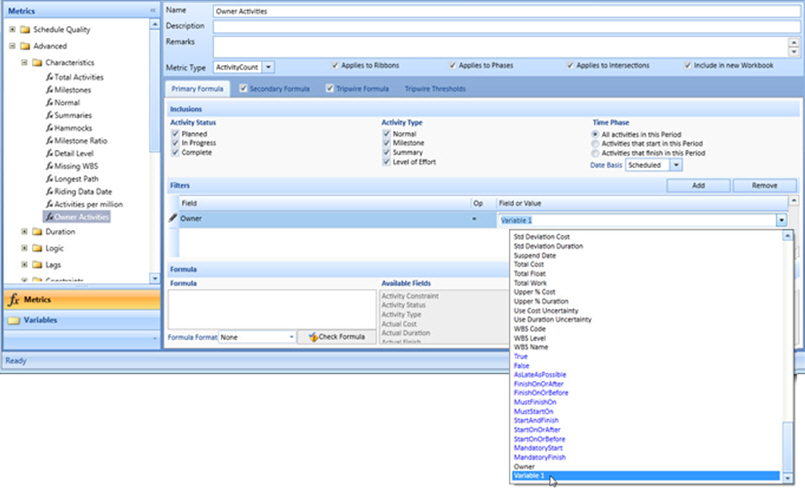
Create a variable field with variable values.
After you have created the variable field with variable values, you can define the metric.
Example